Working with Client Wardrobes in GetWardrobe
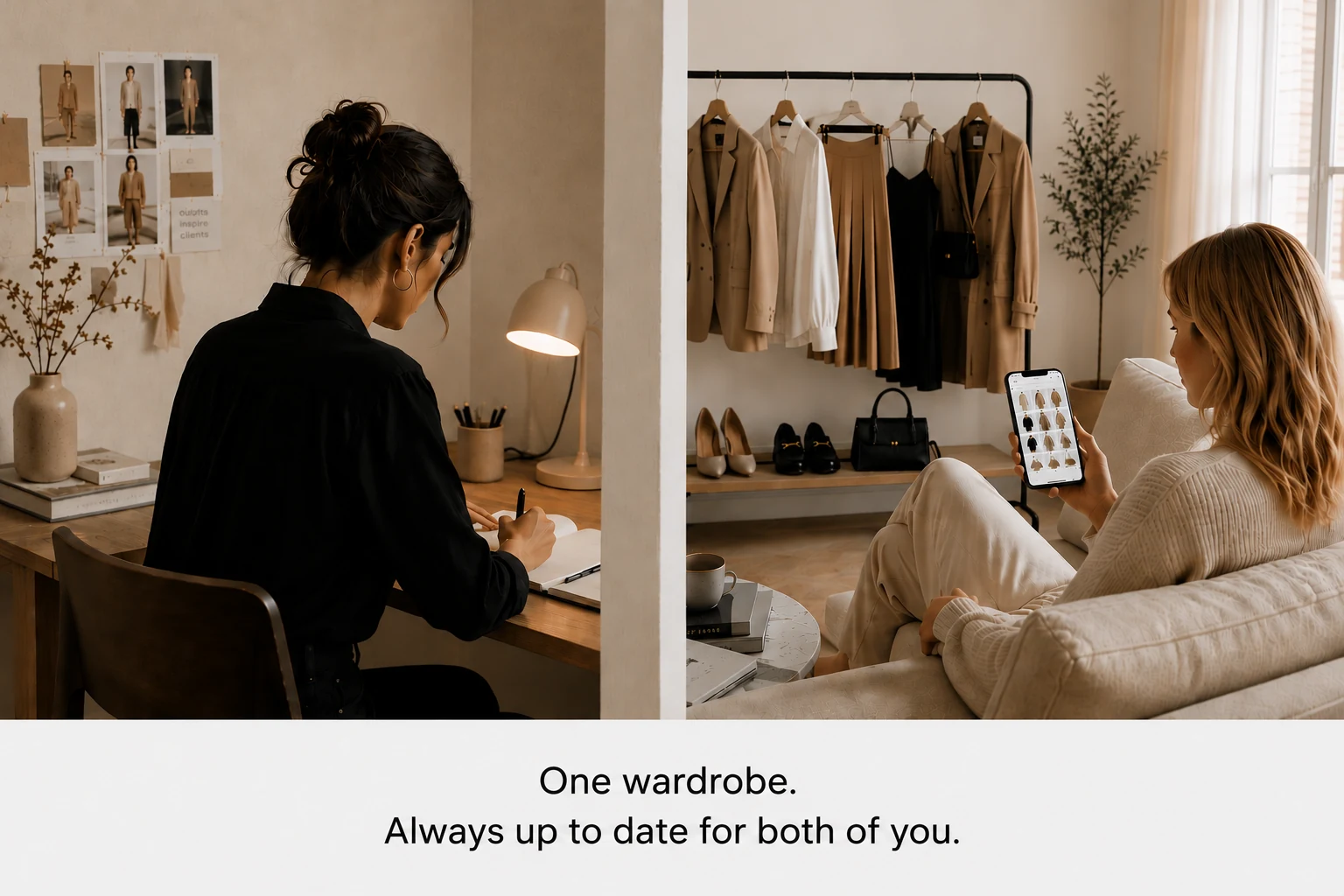
GetWardrobe helps professional stylists work directly with client wardrobes. You get access to the client's wardrobe and can work with their items, outfits, capsules, plans, and shopping lists, while the client continues to use the same wardrobe from their own account.
Changes to the wardrobe stay in sync: the client's new items become available to you, and the outfits, plans, and advice you create appear in the client's account.
For regular work with multiple clients, use Stylist Mode with GetWardrobe Pro.
How to connect a client's wardrobe
There are a couple of ways to start, depending on whether the client already uses GetWardrobe.
If the client already uses GetWardrobe
You send the client an invitation. Once the client accepts it, their wardrobe becomes available to you.
If the client doesn't have an account yet
You can create an account on the client's behalf and start building their digital wardrobe before the first sign-in.
After activation, the client sees the prepared wardrobe in their own account.
What you can do in a client's wardrobe
Items and wardrobe organization
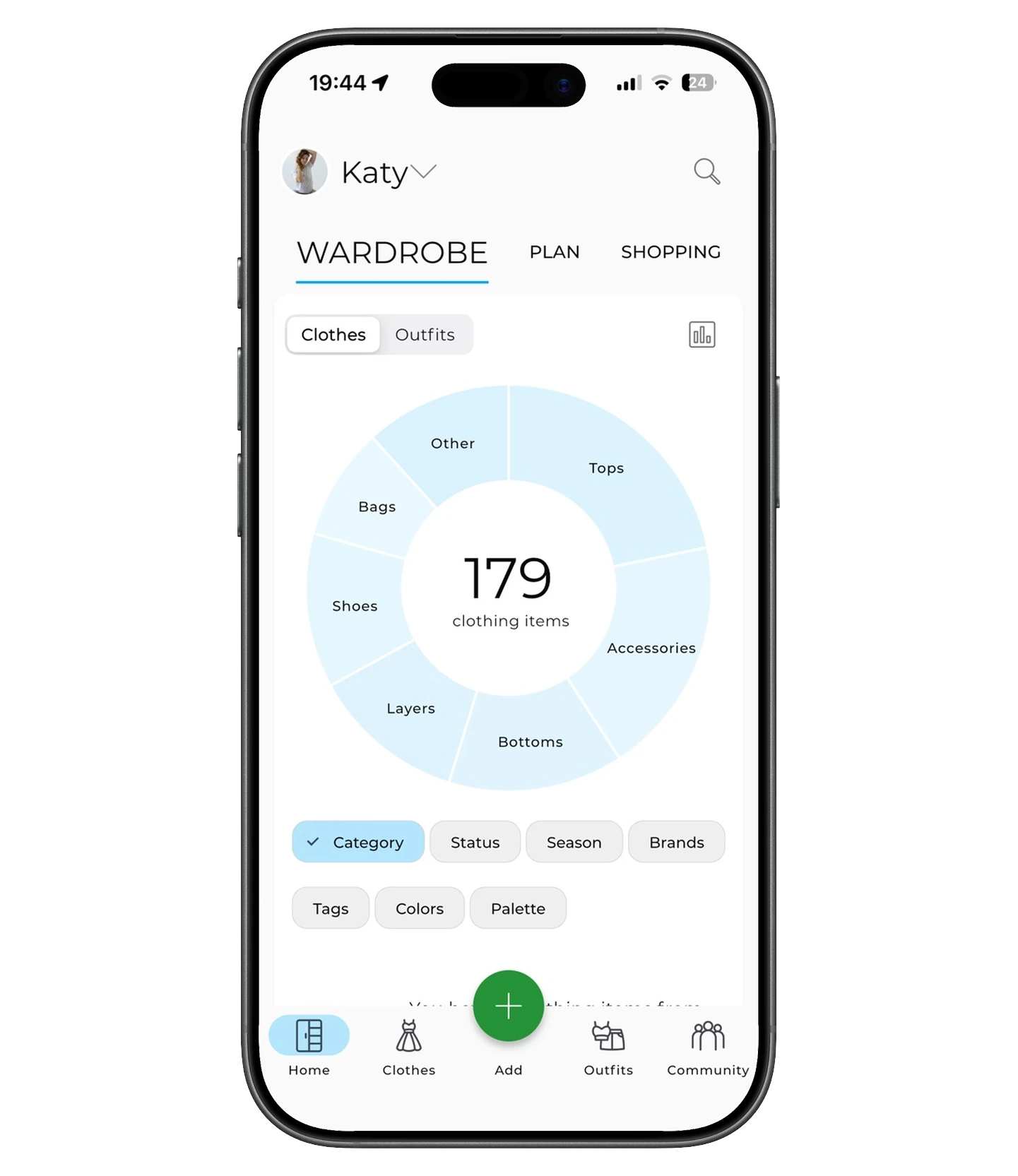
You can add items to the client's wardrobe from photos or from links to online stores. When you upload a photo, GetWardrobe removes the background and detects the category and color, so you don't have to fill in the item card from scratch. When you add from a link, the app saves the available product information — for example, the brand, price, and store link.
Once added, you can edit items and find them using search and filters. In a large wardrobe, you can make the same change to several items at once with bulk editing.
You can move items the client no longer wears or isn't using for now to the archive without removing them from the wardrobe.
Outfits from the client's items
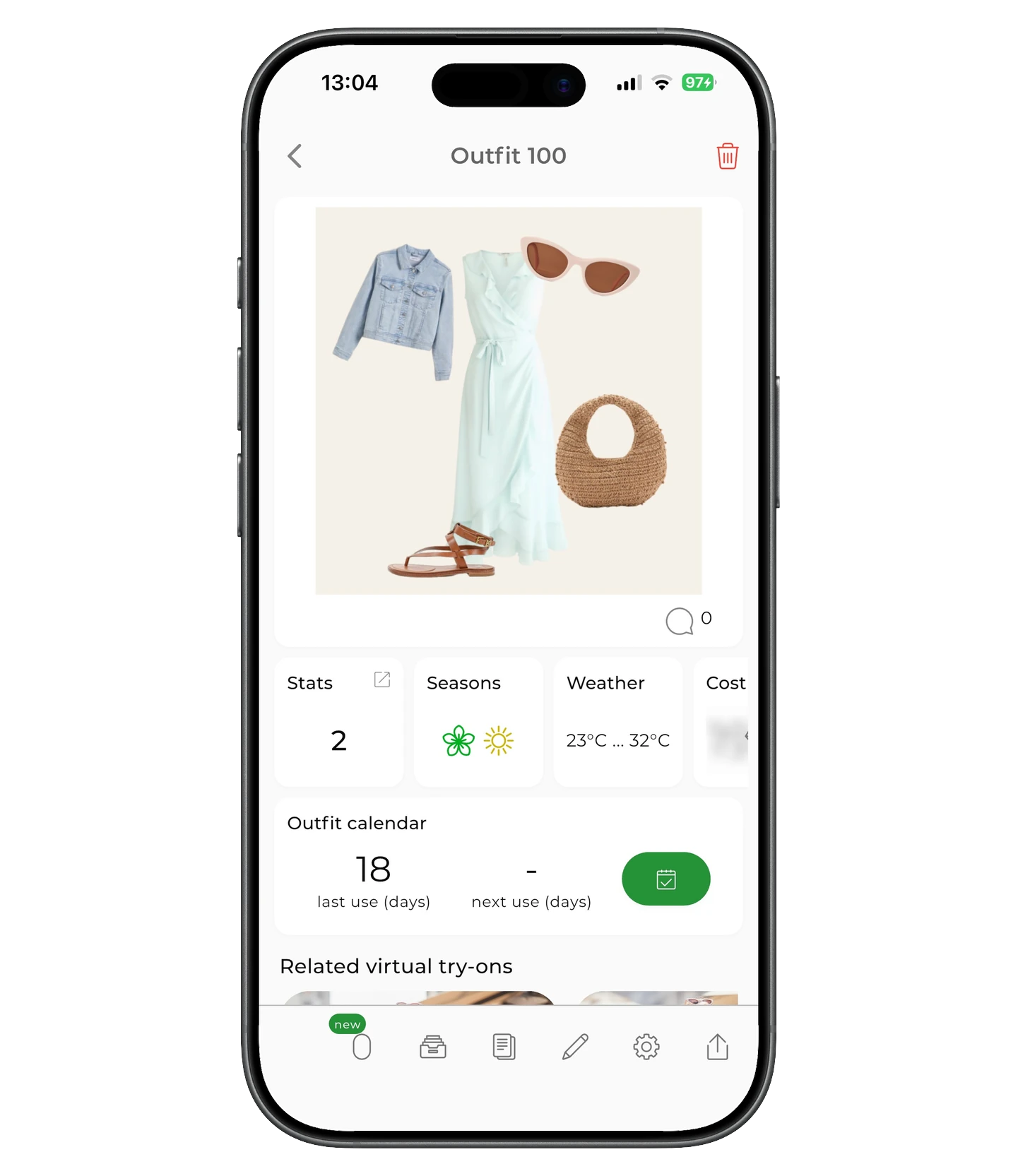
In the visual editor, you can build outfits from the client's items and lay them out as collages — rearrange items, add a background, images, and text.
The outfits you create are saved in the client's wardrobe and are immediately available to them in the app. You can organize them by occasion — for example, for work, weekends, or events — so the client can find the right options more easily.
Planning outfits
You can schedule finished outfits on the calendar — for example, to plan a workweek, an event, or specific days in advance. If needed, you can plan a single item without building a full outfit.
When you plan outfits, you'll also see the weather for the selected city, so you can choose options that suit the temperature and conditions for that date. The client sees the planned items and outfits in their account.
Capsules
In GetWardrobe, you can build capsules from the client's items and outfits — for example, for a season, workwear, travel, or another purpose. You can add the right items and ready-made outfits to a capsule and keep expanding it as you work with the wardrobe.
A capsule stays part of the client's wardrobe, so there's no need to keep a separate file or list for it.
Shopping lists
After reviewing the wardrobe, you can mark items the client needs to find or buy with the "On the shopping list" status. They're collected into a separate list and stay linked to the client's wardrobe.
Packing for a trip
For a trip, you can create a separate packing list, gather the client's items in it, and prepare outfits for different days and occasions in advance. That way you see the whole set in one place and can check whether there are enough items and how well they go together.
The client sees the prepared packing list and outfits in their account and can use them while packing and traveling.
You can check items off the list as you pack.
Wardrobe statistics
Statistics help you see how the client uses their wardrobe: which items they wear regularly and which they barely use, how much the wardrobe is worth, and how the cost per wear changes. For individual items and outfits, you can look at the usage history.
This gives you extra information when reviewing the wardrobe: it lets you assess not just what's in it, but how the items are actually used.
Advice for the client
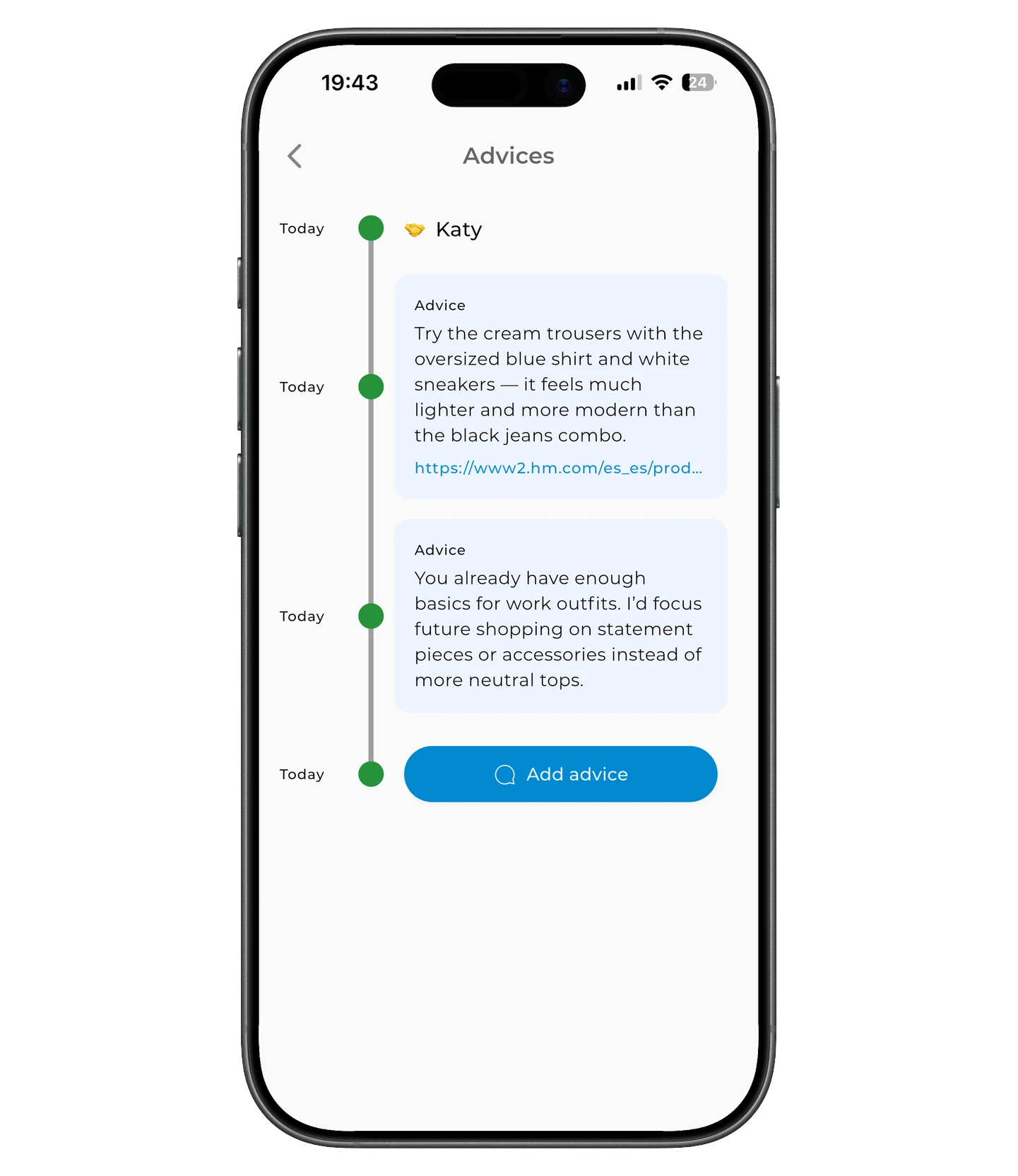
You can leave advice directly in GetWardrobe. It appears in the client's account and stays available after the consultation. Advice can include text and a link — for example, to a PDF, a specific item, or a store.
The client sees the latest advice on their main screen and can open their full advice history from there.
Virtual Try-on
Virtual Try-on lets you preview how a selected outfit might look on the client. It's especially useful for remote work when an in-person fitting isn't possible.
AI tools
GetWardrobe's AI tools are also available in the client's wardrobe. The AI Outfit Generator suggests outfit combinations using the client's items, and AI Studio lets you create a single outfit with selected items and extra settings.
You can use these tools alongside the standard outfit editor.
Working with several clients
Stylist Mode lets you manage several client wardrobes from one account. All your clients are available from one panel. From there, you can open a client's card and switch directly to their account to work with their wardrobe — no separate sign-in required.
Each client keeps their own GetWardrobe account and wardrobe.
The panel shows each client's connection status, so you can see at a glance who's already connected and who's still waiting for activation.
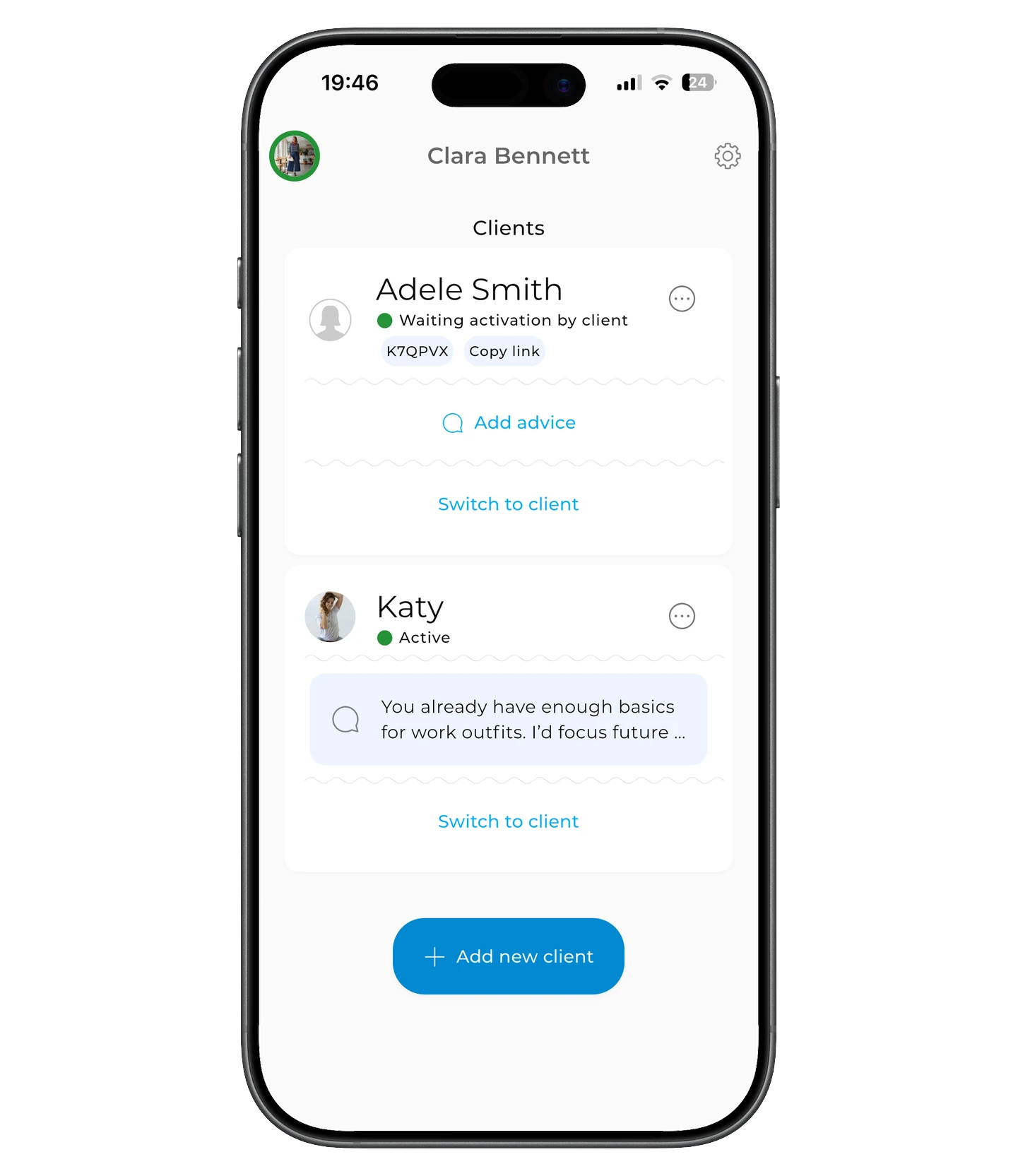
For more on client limits and GetWardrobe Pro, see GetWardrobe Pro: Subscription for Stylists.
Premium for connected clients
While a client is connected to you through GetWardrobe Pro, they get Premium at no extra cost. Premium stays active for as long as the client remains connected.
Working with clients across devices
You're not tied to one device: you can work with client wardrobes on iPhone, iPad, Android, Mac, or in a browser on a computer. All changes sync, so you can start on one device and continue on another.
When GetWardrobe is especially useful
When you need to digitize a client's wardrobe
You can upload photos of the client's items after an in-person or online wardrobe review and prepare their digital wardrobe before they sign in for the first time.
When a client's wardrobe information is scattered across different places
Photos of items and outfits, along with advice, often end up scattered across chats, files, and spreadsheets. In GetWardrobe, all of this stays linked to the client's wardrobe and available in one place.
For remote work
The client can add new items themselves, and you can use them in later outfits, capsules, and advice without a new in-person meeting.
For ongoing client work
The wardrobe stays with the client and changes over time, so you can keep working with it after the initial review — adding new items, outfits, and advice as needed.
Pro vs. Wardrobe Access
There are two ways to access a client's wardrobe.
| GetWardrobe Pro | Wardrobe Access | |
|---|---|---|
| Best for | Regular work with clients | When you have only a few clients |
| Client panel | Yes | No |
| Create a new client account | Yes | No |
| Client's Premium | Included with your Pro | The client needs their own Premium |
| Stylist subscription | GetWardrobe Pro | Not required |
If you need a separate panel for working with clients and Premium for connected clients, GetWardrobe Pro is more convenient. If you have only a few clients, you can use Wardrobe Access.
For more on Pro's terms and the differences between the two options, see GetWardrobe Pro: Subscription for Stylists.
How to get started
If you want to start working in Stylist Mode, set up your profile, and add your first client:
Getting Started with Stylist Mode
If you'd first like to understand how GetWardrobe Pro works — how many clients you can connect, how Premium for clients works, and how Pro differs from regular wardrobe access:
GetWardrobe Pro: Subscription for Stylists
If you want to access a client's wardrobe without Stylist Mode:
FAQ
Do I need GetWardrobe Pro to work with clients?
No. You can also access a client's wardrobe through Wardrobe Access.
GetWardrobe Pro is designed for ongoing work with clients: it adds a separate client panel, lets you create accounts for new clients, and gives connected clients Premium.
Does the client have to pay for Premium?
If the client is connected through GetWardrobe Pro, they don't pay for Premium separately — they get it through your subscription for the whole time they're connected.
With regular Wardrobe Access, the client needs their own Premium.
Does the client have to register before you can start?
No. If the client doesn't have a GetWardrobe account yet, in Stylist Mode you can create one on their behalf and start working with the wardrobe right away.
Later the client activates the account with a link or activation code and sees the prepared wardrobe in their account.
What happens to the wardrobe after work with the stylist ends?
The wardrobe stays in the client's account. After disconnection, you no longer have access to it, and the Premium the client received through Pro ends. If work resumes later, the client can be reconnected to the same wardrobe.
Need help?
Get in touch at support@getwardrobe.com