Use GetWardrobe with Claude
GetWardrobe connects to Claude, Anthropic's AI assistant, so you can talk about your clothes in plain language. Claude reads your real items, outfits and calendar and answers from them: what you own, what you haven't worn lately, or what to pack for a trip. With Premium, Claude can also save outfits, plan days and tidy up your wardrobe for you.
- Works with Claude on the web, the desktop app, the mobile apps and Claude Code.
- You sign in to GetWardrobe and approve the connection yourself.
- Claude only sees your wardrobe while you chat with it, and only what it needs for your request.
- You can disconnect at any time.
- The connection uses the GetWardrobe connector, a remote MCP server at
https://app.getwardrobe.com/mcp.
What you need
- A GetWardrobe account with some items in it. If you're new, add a few items in the app first.
- A Claude account. Connectors work on every Claude plan.
- GetWardrobe Premium if you want Claude to make changes. Asking questions is free.
What Claude can do
| Free account | Premium | |
|---|---|---|
| Browse and search your items, with filters by category, color, season and tags | Yes | Yes |
| Read item details, including how often and when you last wore an item | Yes | Yes |
| Browse your outfits and see outfit and item pictures | Yes | Yes |
| Read your calendar: what you wore and what you planned | Yes | Yes |
| See archived items and outfits | No | Yes |
| Create, edit and delete outfits | No | Yes |
| Edit item details: name, brand, category, tags, seasons, price, notes | No | Yes |
| Change tags, seasons and other details on many items at once | No | Yes |
| Archive items and outfits, or restore them from the archive | No | Yes |
| Plan outfits on your calendar or log what you wore | No | Yes |
Claude can't add new items, delete items, change item photos, or use AI Studio, Virtual Try-On or Enhance Item Photo. Do those in the GetWardrobe app.
Connect GetWardrobe to Claude
Do this once in Claude on the web (claude.ai) or in the Claude desktop app. The connection then works in the Claude mobile apps too. Anthropic's own guide to connectors is Get started with custom connectors using remote MCP.
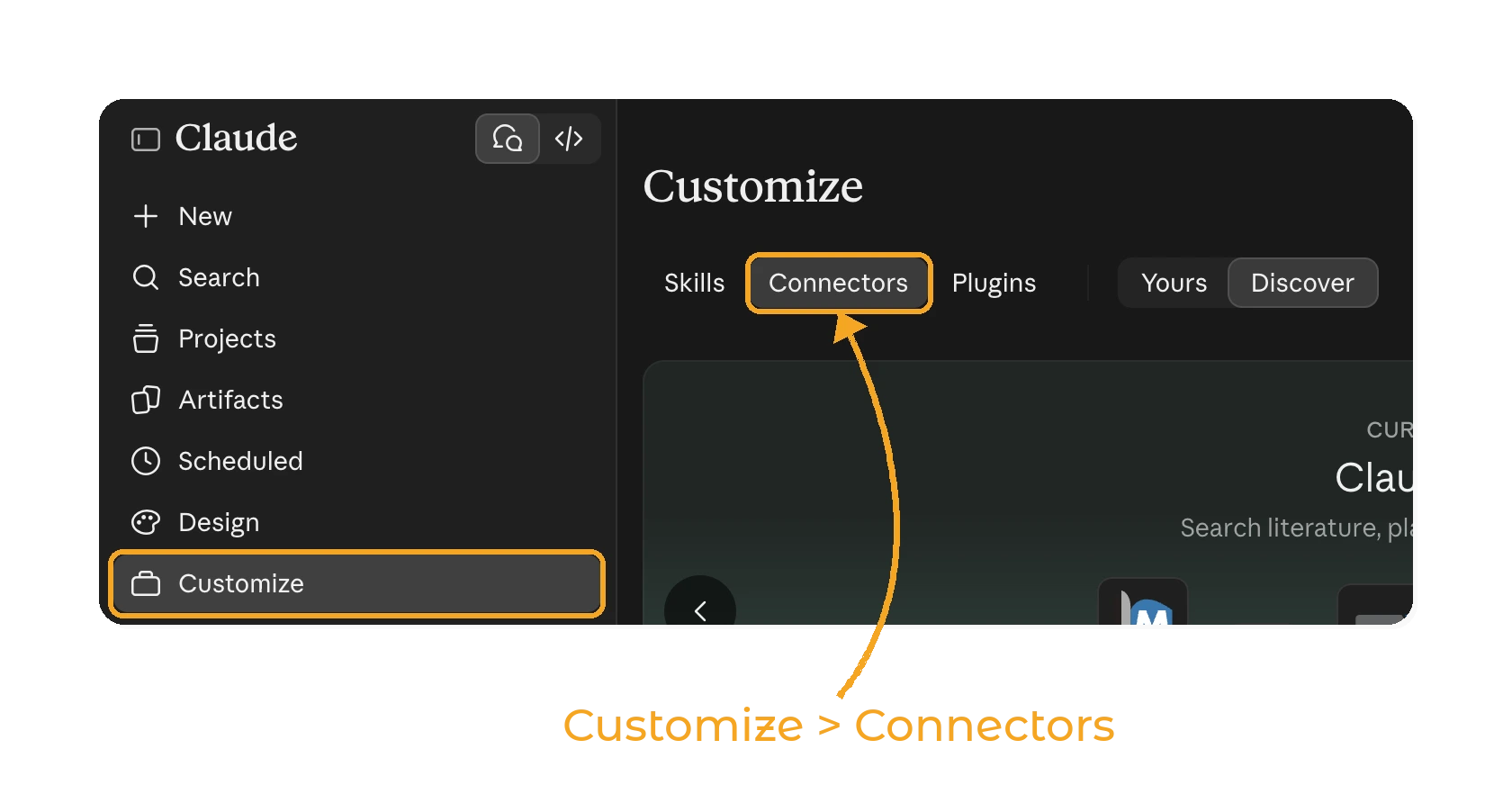
In Claude, open Customize and go to Connectors.
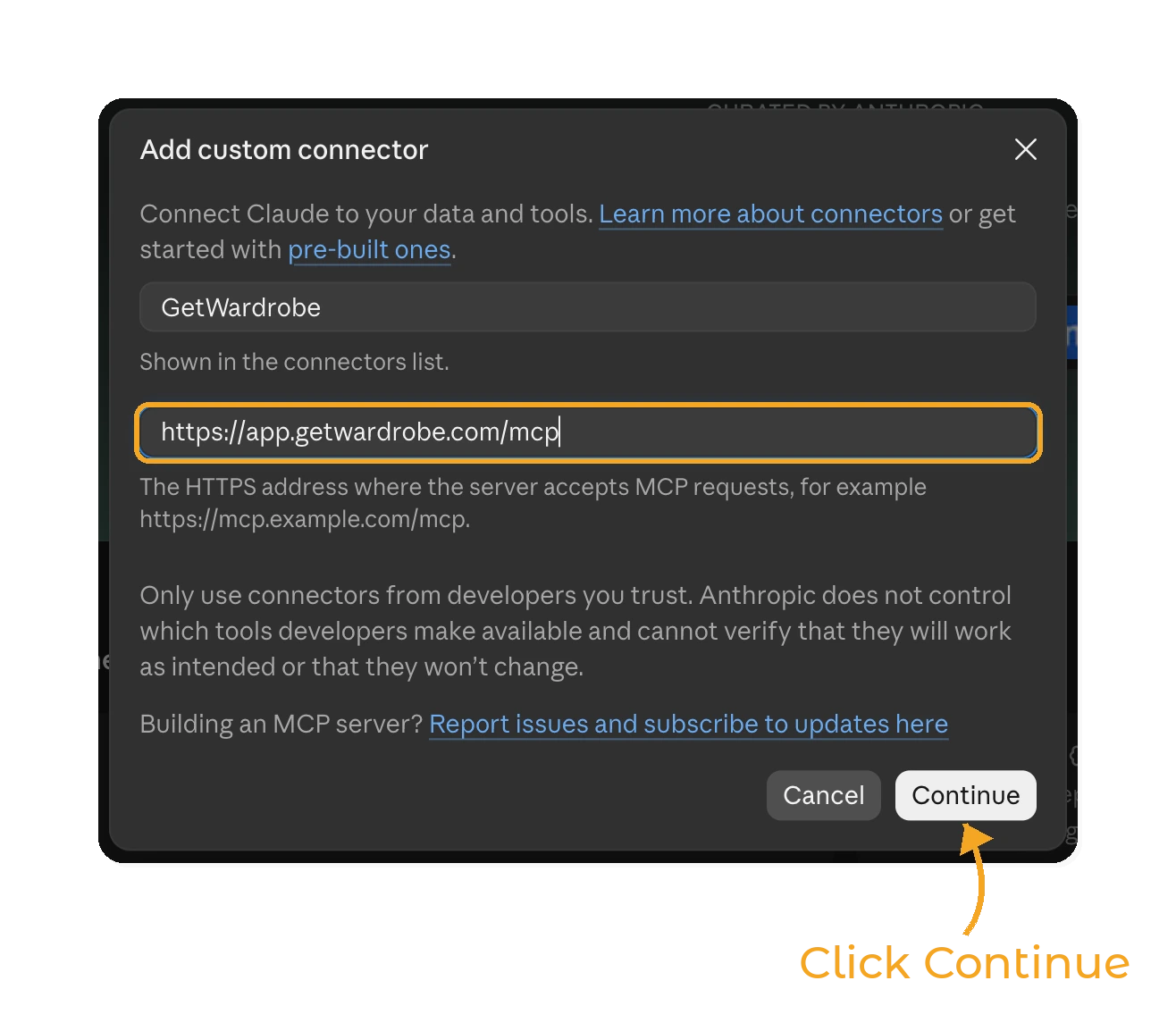
Find GetWardrobe in the connector directory. If you don't see it, click Add > Add custom connector, enter GetWardrobe as the name and https://app.getwardrobe.com/mcp as the MCP server URL, then click Continue and finish adding the connector.
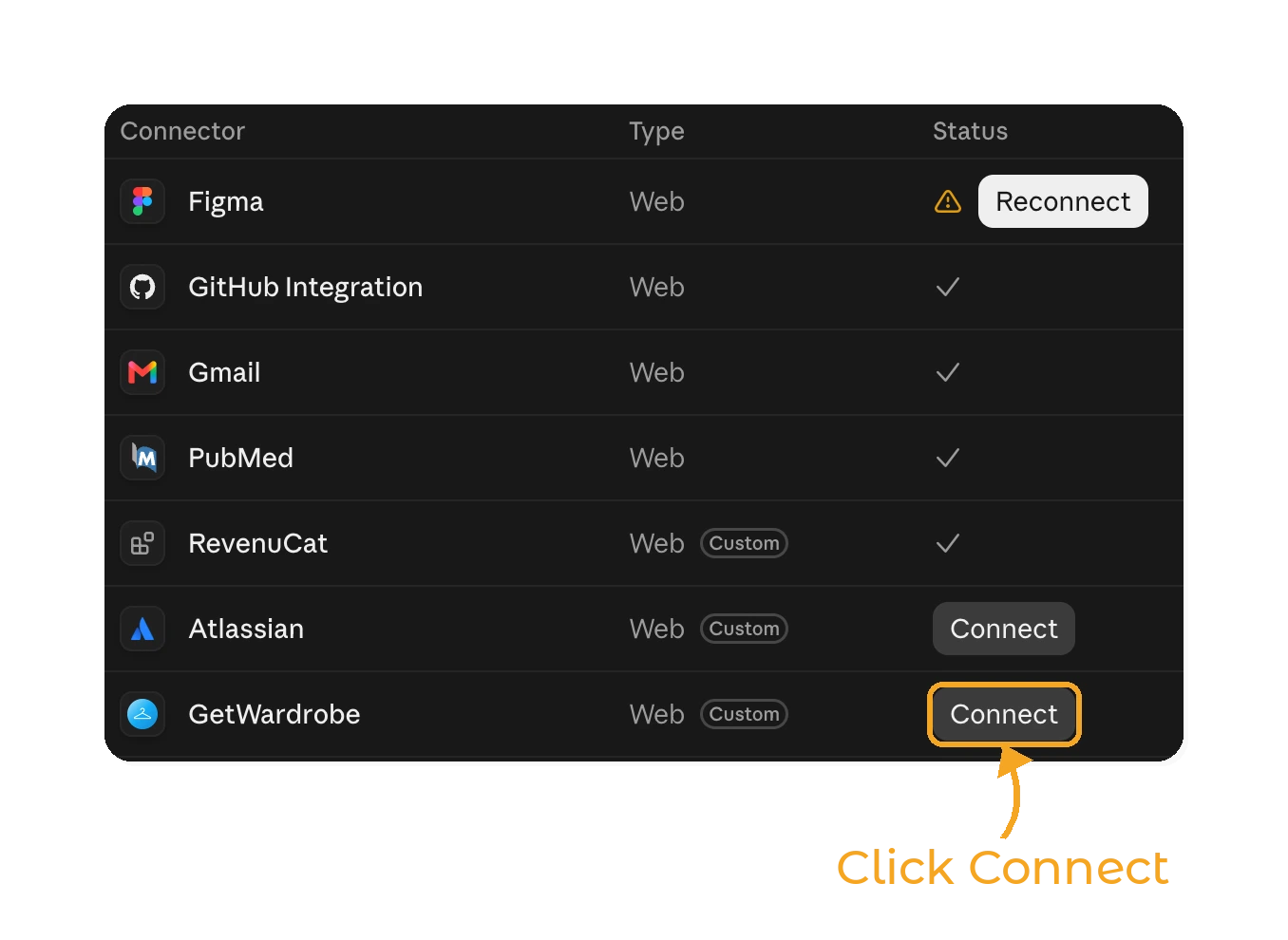
Click Connect next to GetWardrobe in your connectors list. A GetWardrobe sign-in page opens in your browser.
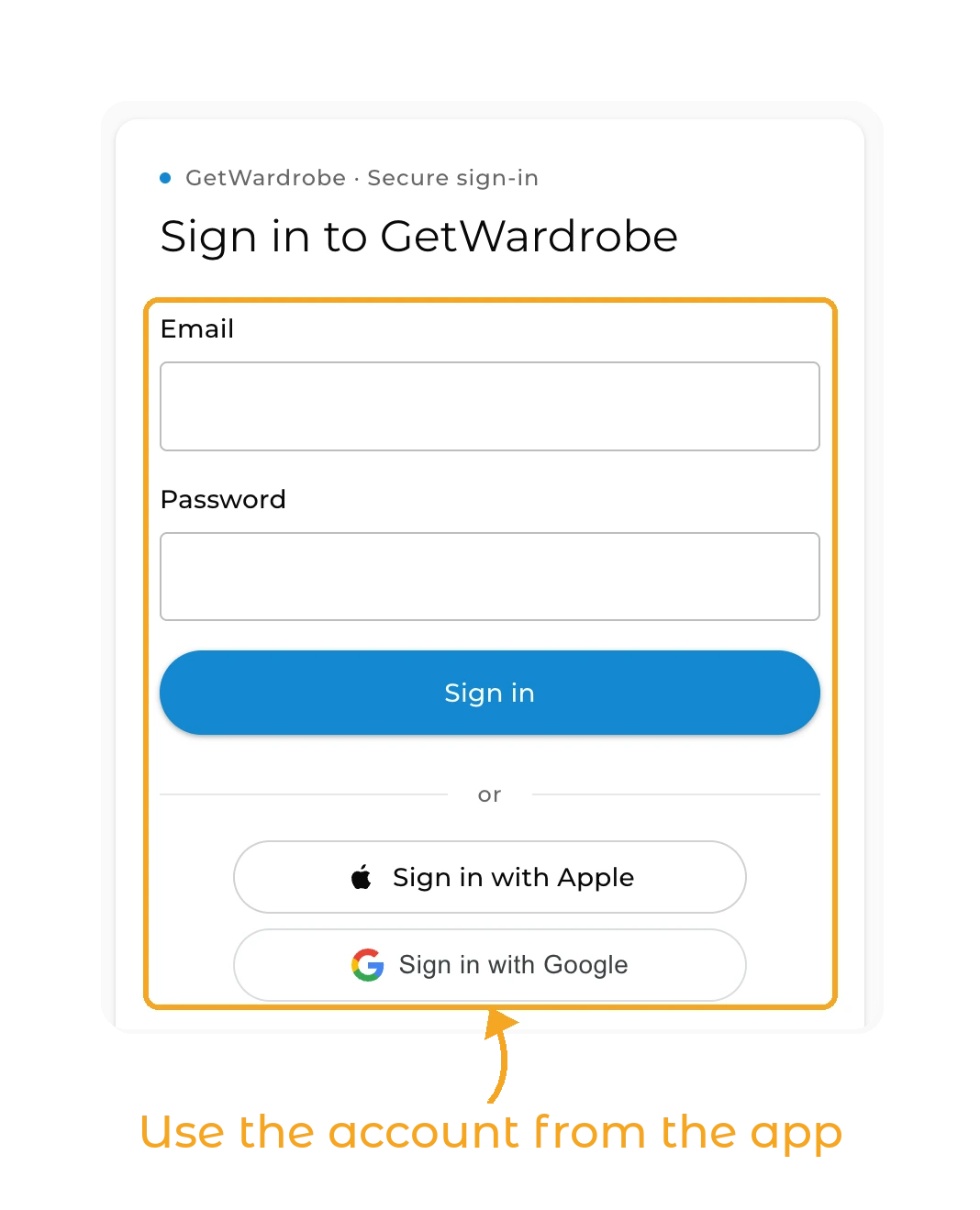
Sign in with the account you use in the GetWardrobe app: email and password, Sign in with Apple or Sign in with Google. If you're already signed in to the GetWardrobe web app, this step is skipped.
The GetWardrobe page shows what the connection will be able to do: view your wardrobe, and add to and edit it. If you're signed in to the wrong account, click Not you? Switch account. Then click Allow.
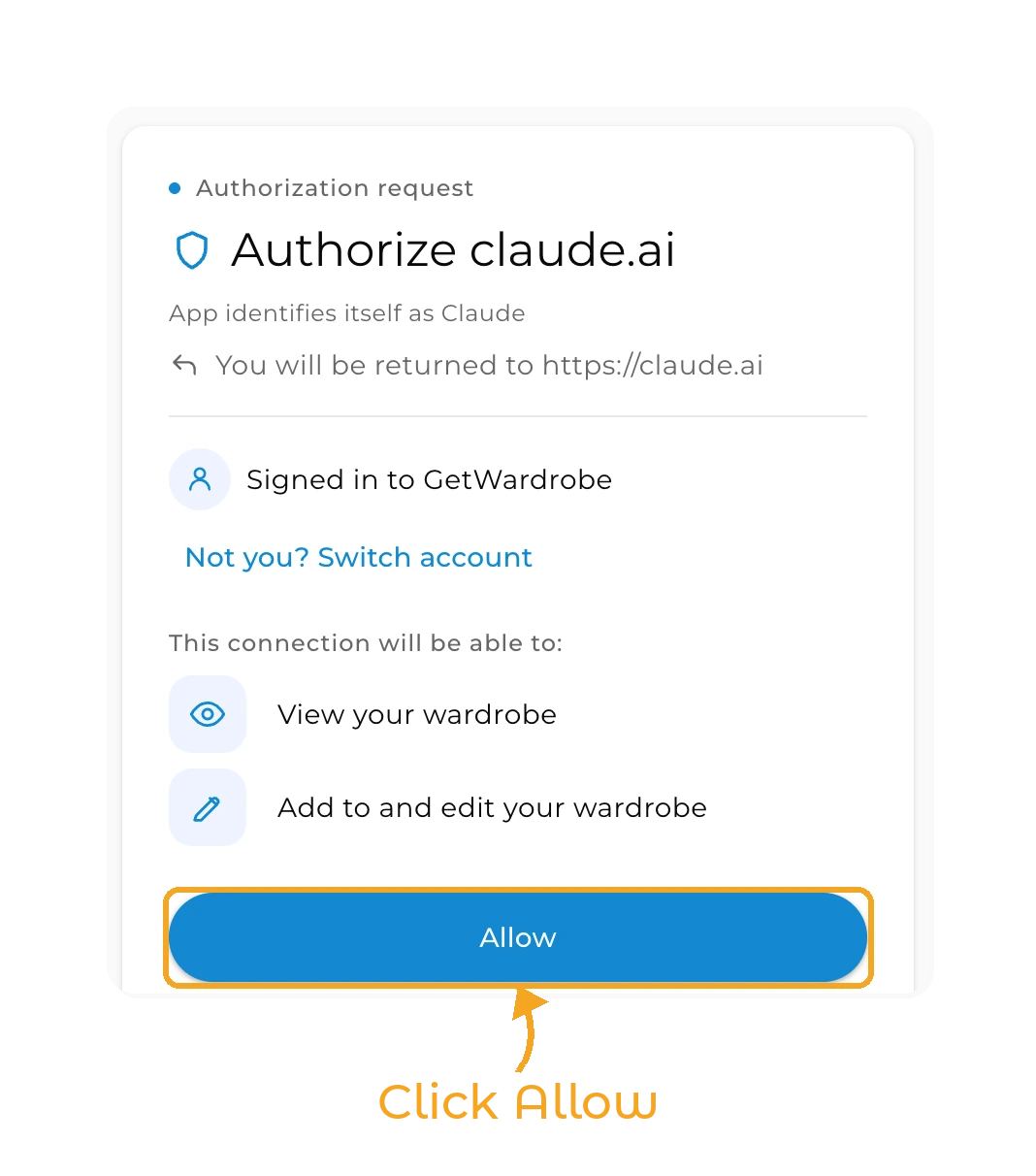
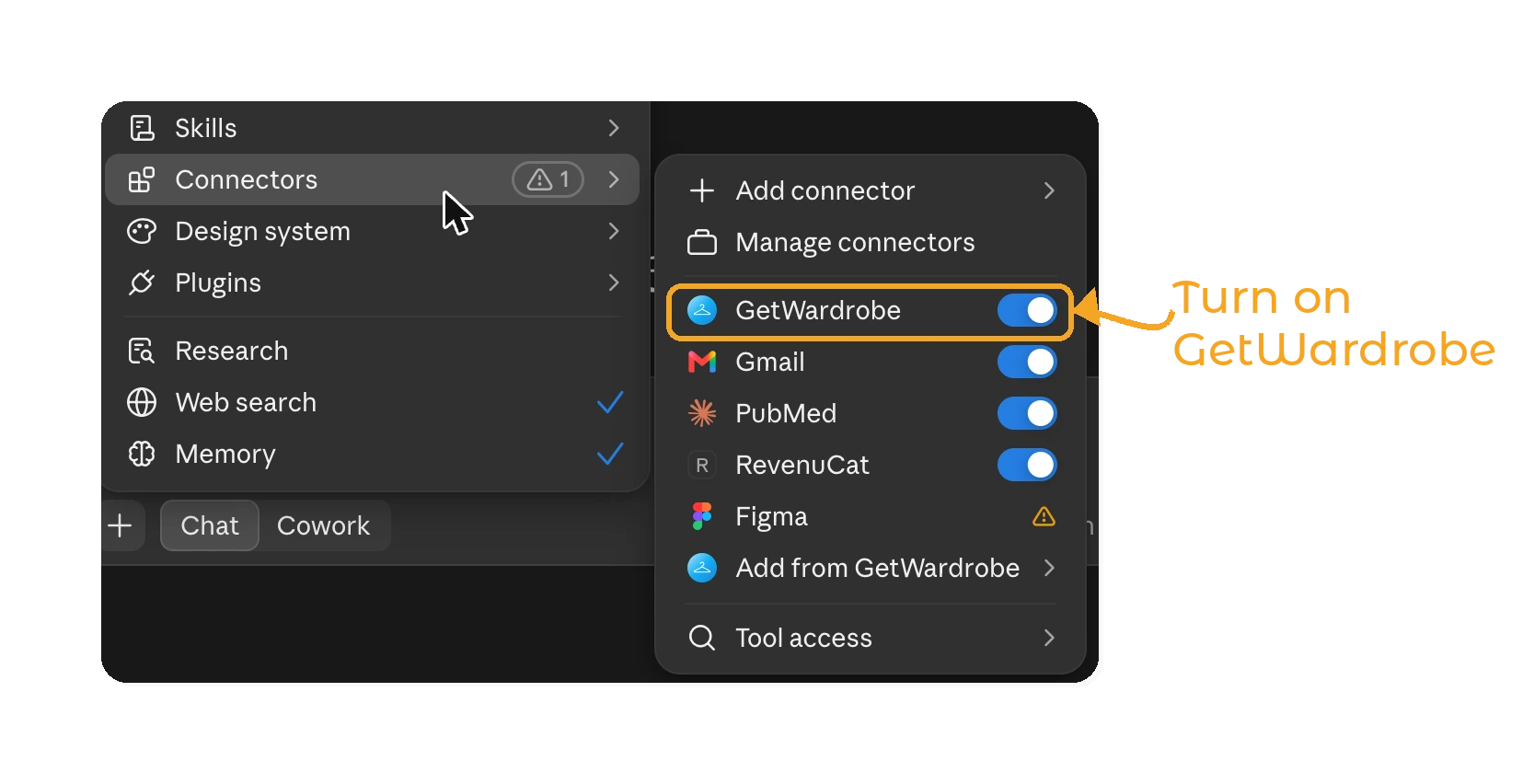
You're returned to Claude and see Connected to GetWardrobe. In a chat, open the + menu, choose Connectors and make sure GetWardrobe is turned on.
Claude Code
In a terminal, run:
claude mcp add --transport http getwardrobe https://app.getwardrobe.com/mcp
Then start Claude Code, type /mcp, select getwardrobe and choose to authenticate. Your browser opens the same GetWardrobe sign-in and Allow pages.
Things to ask Claude
Just ask in your own words and in your own language. Some ideas:
- "What warm jackets do I have?"
- "Which items haven't I worn in the last three months?"
- "What did I wear last week?"
- "Suggest an outfit for a rainy office day from my outfits."
- "I'm going to Lisbon from 12 to 16 November. Plan an outfit for each day and make a packing list from my clothes."
- "Find items that look like duplicates."
- "Save the outfit you just suggested as 'Friday dinner'." (Premium)
- "Plan my 'Office navy' outfit for Monday." (Premium)
- "Add the tag 'summer' to all my linen shirts." (Premium)
- "Archive the items tagged 'to sell'." (Premium)
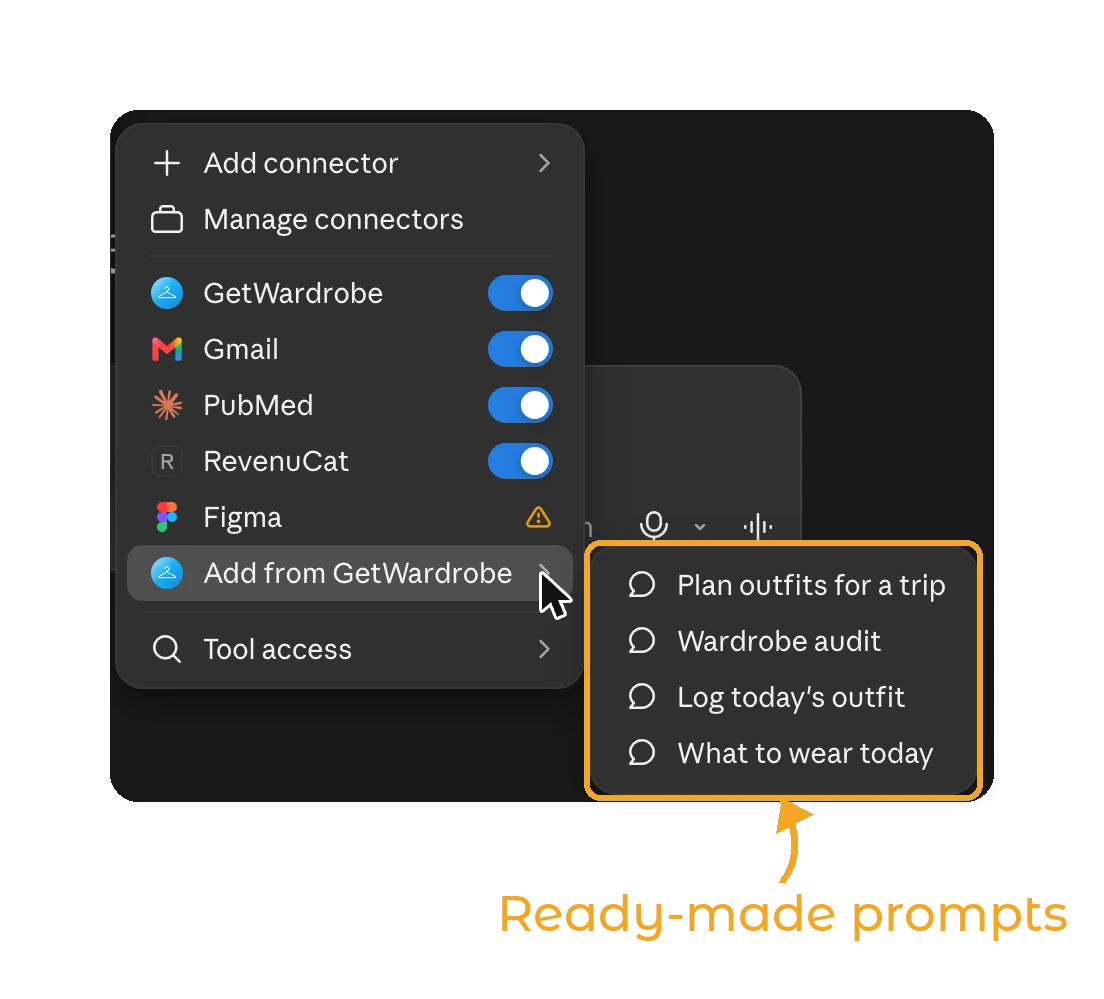
GetWardrobe also gives Claude four ready-made prompts: Plan outfits for a trip, Wardrobe audit, Log today's outfit and What to wear today. To use one, open the + menu in a chat and choose Connectors > Add from GetWardrobe.
Claude asks before it changes anything
Before Claude saves, edits, archives or deletes anything, it tells you what will change and asks you to confirm. You also decide this in Claude: in Customize > Connectors > GetWardrobe, set each tool to run automatically, to need your approval, or to be blocked. Check each request before you approve it.
A few things are good to know:
- Changes sync to the GetWardrobe app on all your devices, the same way edits made in the app do.
- When Claude changes the items in an outfit, the outfit's layout is rebuilt. Positions you set in the Outfit Editor, and any text or color tiles, are reset.
- When Claude logs today's outfit, it can also appear in your Community feed, the same way it does when you log it in the app. Claude mentions this before it saves.
- Deleting an outfit also removes it from your feed and from every calendar day. Your items stay.
Disconnect GetWardrobe
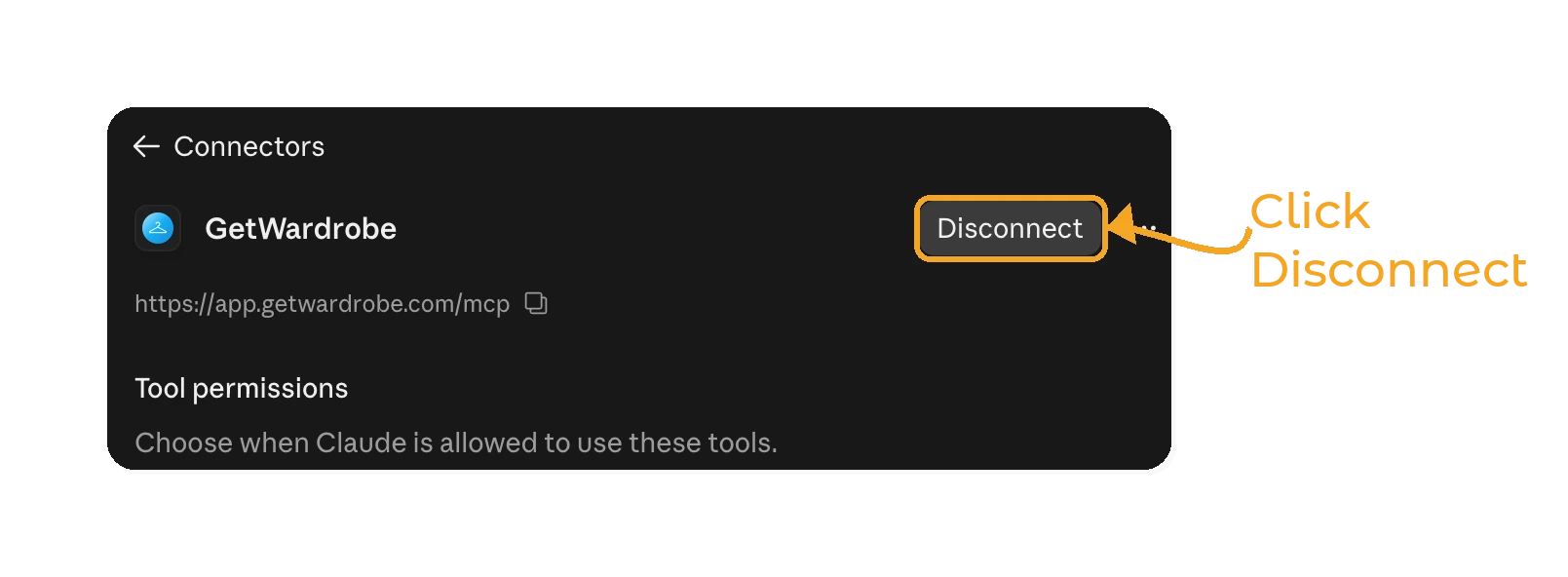
In Claude, go to Customize > Connectors, open GetWardrobe and click Disconnect.
Your GetWardrobe account also ends the connection when:
- you change or reset your GetWardrobe password (this disconnects every Claude connection),
- you delete your GetWardrobe account,
- the connection isn't used for 90 days. Click Connect in Claude to sign in again.
Signing out of the GetWardrobe app does not disconnect Claude.
Privacy
- GetWardrobe sends data to Claude only when Claude asks for it during a chat you started. Claude asks only for what your request needs, and item and outfit pictures only when you want to see them.
- What Claude receives is processed by Anthropic under your Claude account's terms and Anthropic's privacy policy.
- GetWardrobe doesn't receive your chat. We keep a technical log of which tools were used, for security and support.
- Locations saved with your calendar days are never shared with Claude.
Read the full GetWardrobe Privacy Policy.
Troubleshooting
Claude says Premium is required, or that it can't make changes. Changes need GetWardrobe Premium. If you just subscribed, wait up to 10 minutes and ask again.
Claude says my wardrobe is empty. Make sure you signed in with the same account you use in the app. In Claude, disconnect GetWardrobe and connect again. On the GetWardrobe page, click Not you? Switch account and sign in with the right account.
"Start again from Claude" on the GetWardrobe page. The sign-in link expired or was opened in a different browser. Go back to Claude and click Connect again.
Claude stops for a moment and says it's waiting. GetWardrobe limits how many requests Claude can make in a few minutes. Claude waits and continues on its own.
FAQ
Q: Do I need GetWardrobe Premium to use Claude?
No. Any GetWardrobe account can connect and ask Claude about its items, outfits and calendar. Creating or changing anything from Claude, and seeing the archive, needs Premium.
Q: Can Claude add new items to my wardrobe?
No. Items are added in the GetWardrobe app, where photos are processed. Claude can edit the details of items you already have if you have Premium.
Q: How do I disconnect GetWardrobe from Claude?
In Claude, go to Customize > Connectors, open GetWardrobe and click Disconnect. Changing your GetWardrobe password also disconnects every Claude connection.
Q: Does GetWardrobe see my conversations with Claude?
No. GetWardrobe only receives the requests Claude makes to read or change your wardrobe, such as listing your jackets or saving an outfit. Your chat stays in Claude.
Q: I upgraded to Premium but Claude still says Premium is required. Why?
Your new subscription can take up to 10 minutes to reach the connector. Wait a few minutes and ask Claude to try again. You don't need to reconnect.
Q: What is the GetWardrobe MCP server URL?
The GetWardrobe connector is a remote MCP server at https://app.getwardrobe.com/mcp. You sign in with your GetWardrobe account through OAuth, so there is no API key to copy.
Q: Does the GetWardrobe connector work with ChatGPT or other AI assistants?
Not yet. The connector works with Claude: on the web, in the desktop and mobile apps, and in Claude Code.
Need help?
Contact us at support@getwardrobe.com