Armario Familiar
Crea armarios separados para tus hijos, tu pareja y otras personas cercanas en una sola cuenta. Guarda las prendas de cada persona por separado, crea outfits y planifica qué se va a poner cada una.
Información
El Armario Familiar está incluido en la suscripción Premium.
- Cómo el Armario Familiar ayuda a organizar la ropa de los niños
- El Armario Familiar no es solo para niños
- Añadir un miembro de la familia
- Añadir prendas al armario de un miembro de la familia
- Control de las tallas de ropa infantil
- Ver las prendas y los outfits de un miembro de la familia
- Estadísticas y planificación para los miembros de la familia
- Crear outfits con el armario de un miembro de la familia
- Eliminar un miembro de la familia
Cómo el Armario Familiar ayuda a organizar la ropa de los niños
Con la ropa infantil es fácil perder de vista lo que ya tienes, qué talla usa tu hijo ahora y qué necesitarás para la nueva temporada.
En el Armario Familiar, todas las prendas de un niño están en un mismo sitio. Antes de una nueva temporada, puedes comprobar qué prendas tienes y en qué tallas. Cuando estés de compras, puedes consultar rápidamente el armario de tu hijo antes de comprar algo nuevo.
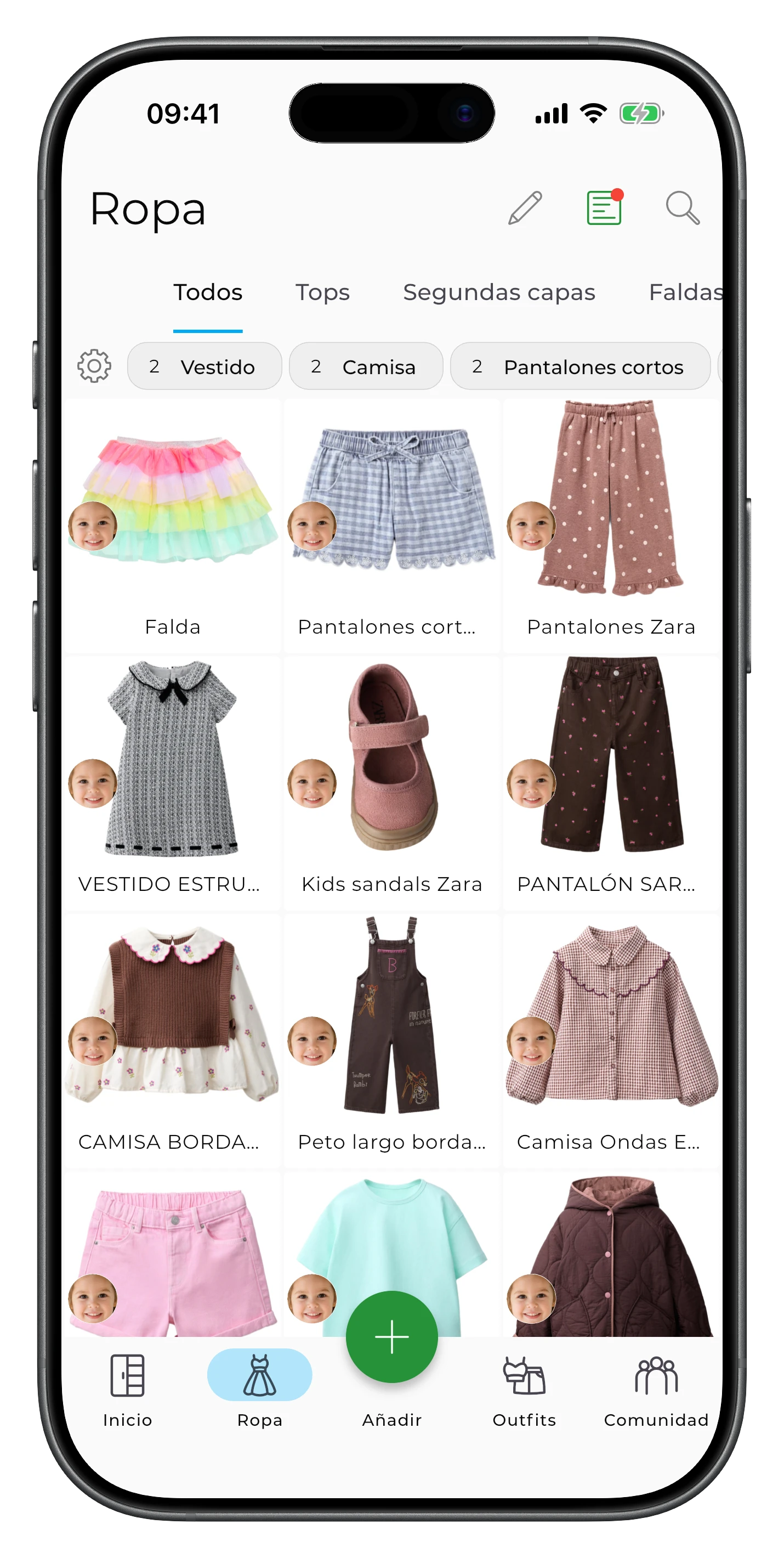
Puedes planificar outfits para el colegio o para la semana, y crear una lista de equipaje antes de un viaje. Si tienes varios hijos, los armarios separados te ayudan a mantener organizadas las prendas de cada hijo y a evitar comprar prendas por duplicado.
El Armario Familiar no es solo para niños
Puedes crear un armario separado para tu pareja, tus padres u otras personas cercanas cuyas prendas quieras organizar en tu cuenta.
También puedes usar un armario separado como armario cápsula, por ejemplo, para el trabajo, una temporada concreta o cualquier otro objetivo.
Añadir un miembro de la familia
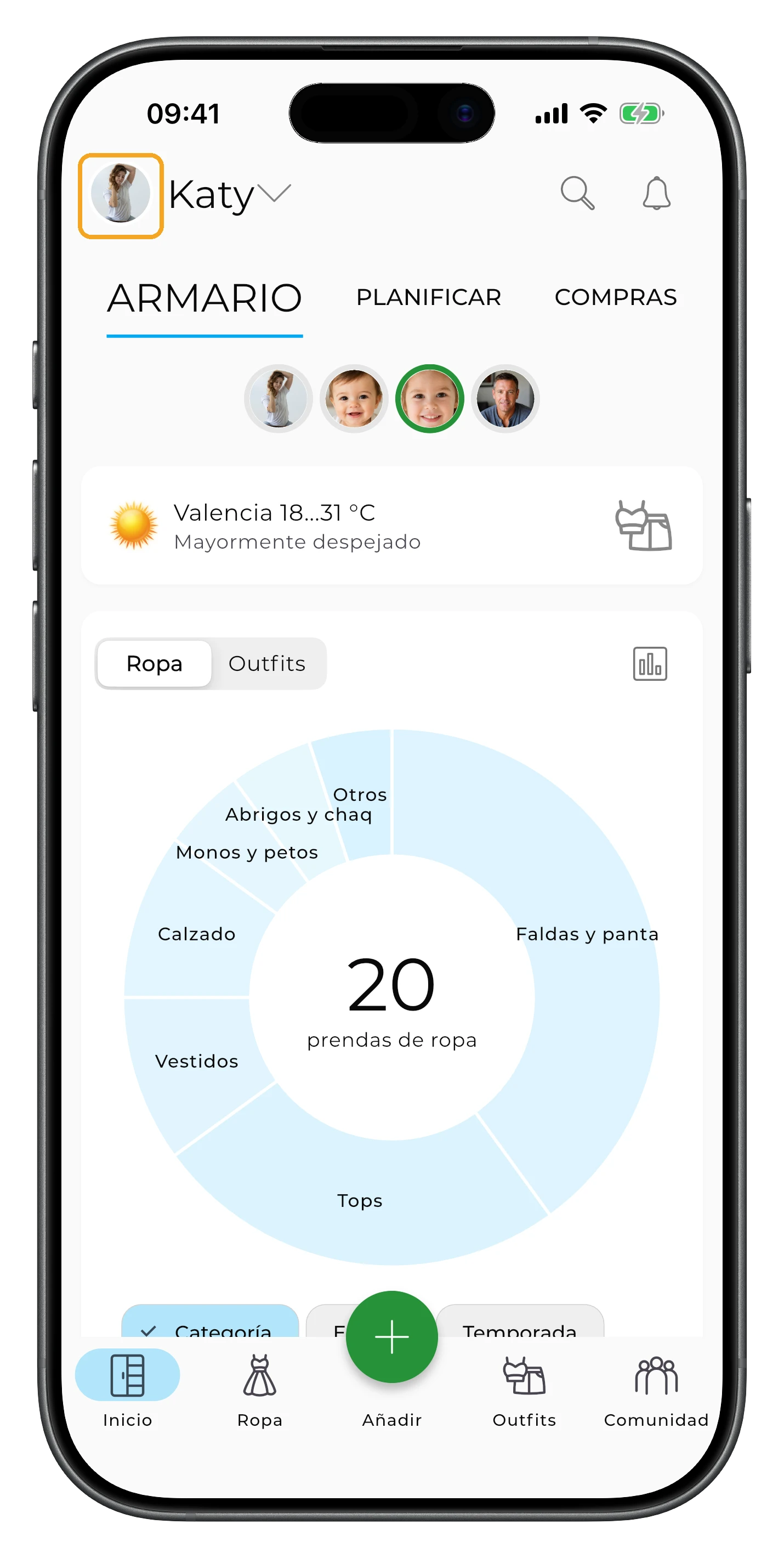
Toca tu avatar en la esquina superior izquierda de la pantalla principal.
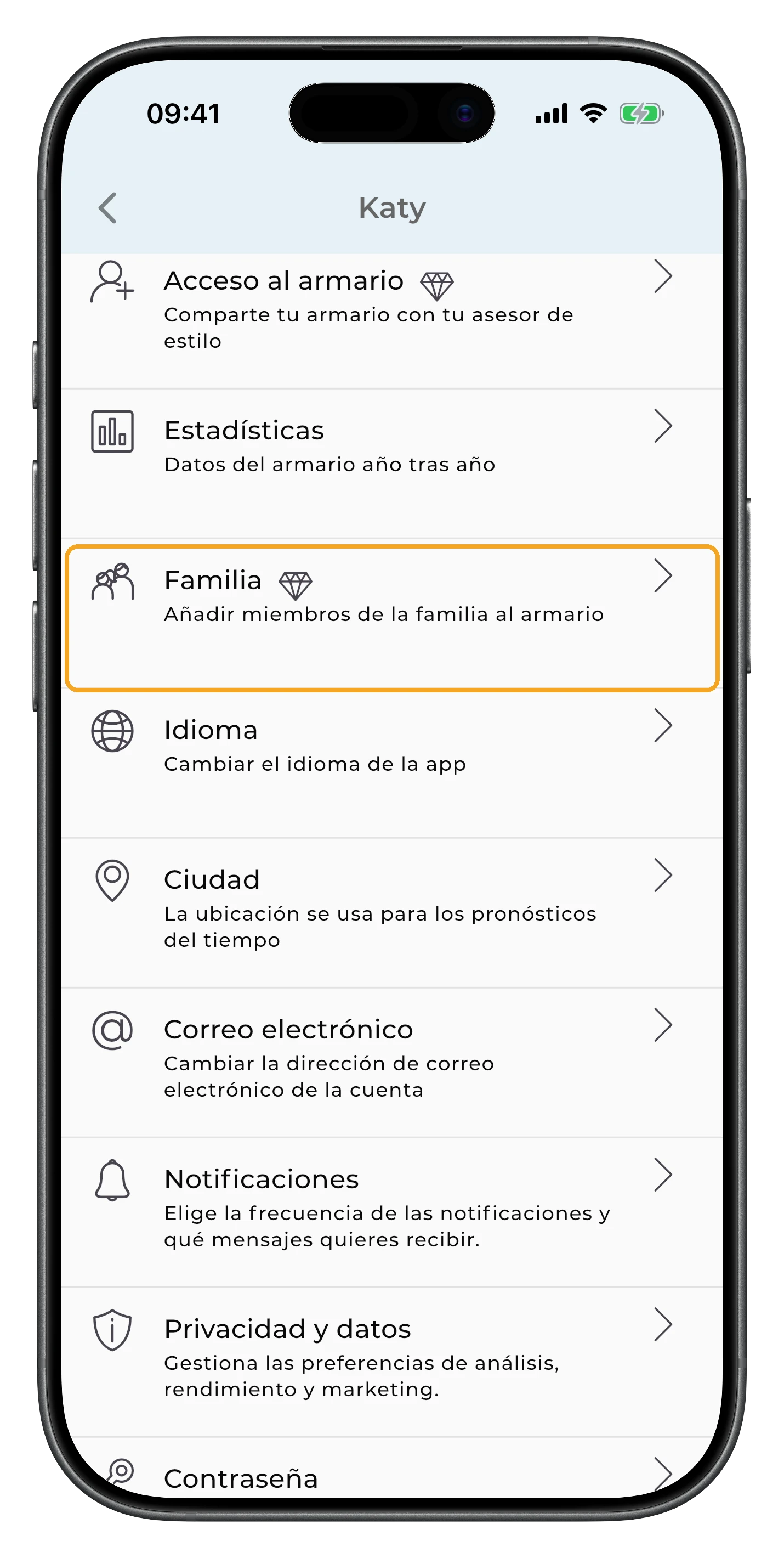
Toca la sección Familia.
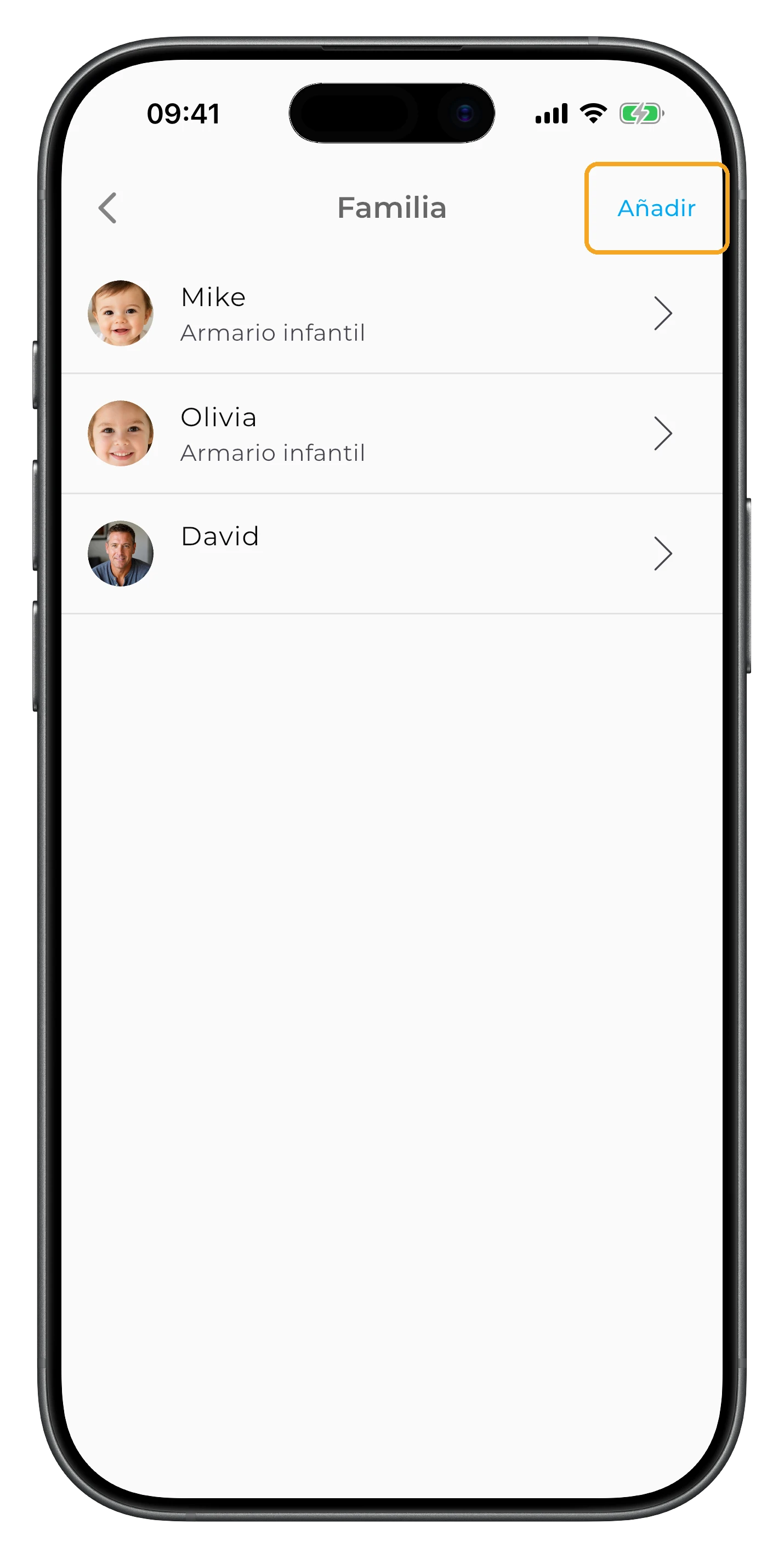
Toca Añadir en la esquina superior derecha.
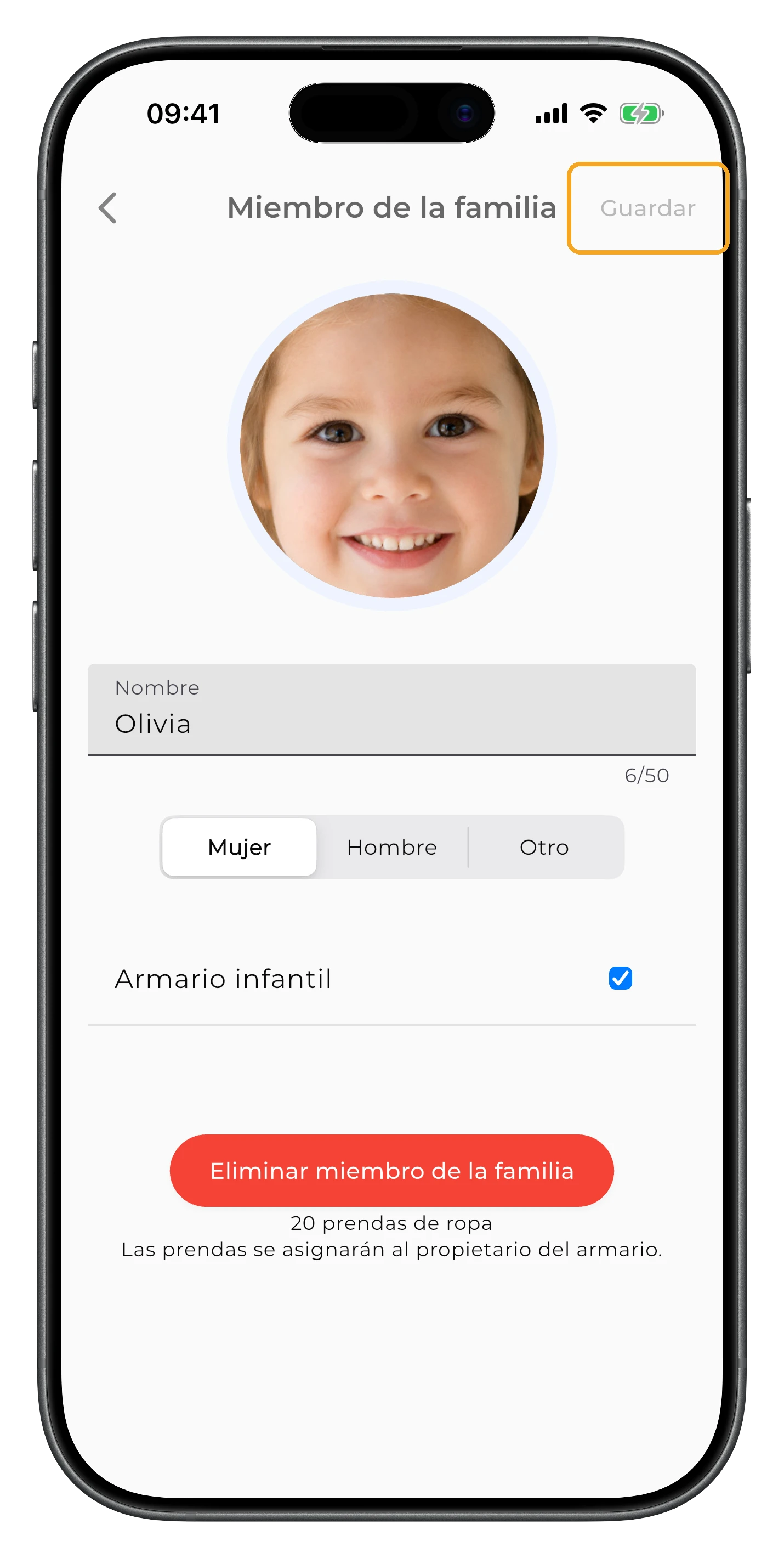
Introduce el nombre del miembro de la familia, añade una foto si quieres y elige el tipo de armario. Si creas un armario para un niño, activa Armario infantil para usar categorías específicas de ropa infantil.
Toca Guardar para terminar.
Añadir prendas al armario de un miembro de la familia
Al añadir o editar una prenda, indica a quién pertenece en el campo Miembro de la familia.
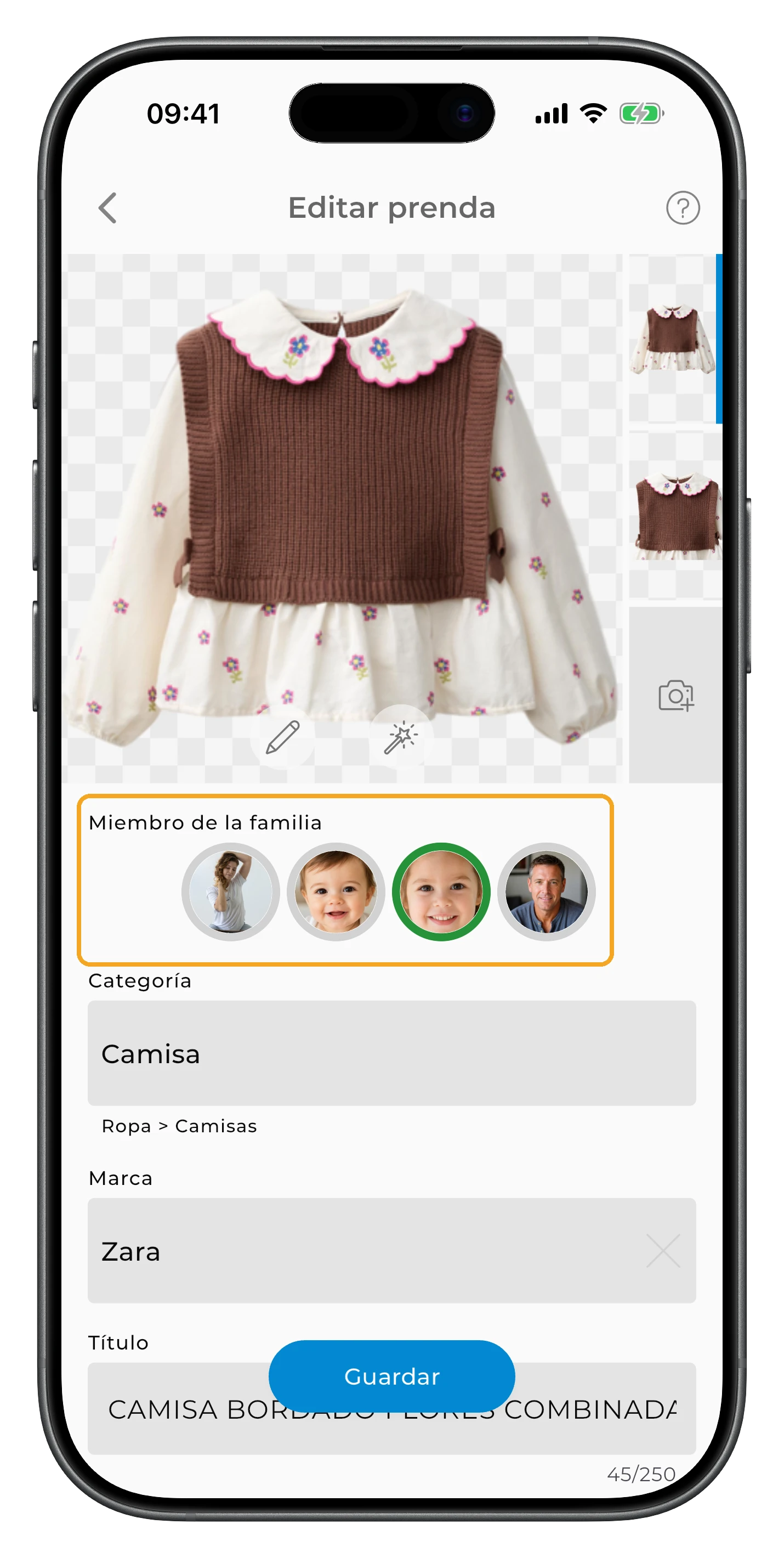
Así mantienes las prendas de cada persona en un armario separado y puedes filtrar por miembro de la familia.
Si la prenda ya está en tu armario, ábrela para editarla y cambia el miembro de la familia seleccionado.
Control de las tallas de ropa infantil
Al añadir una prenda, indica su talla. Así puedes comprobar rápidamente qué tallas hay ya en el armario de tu hijo.
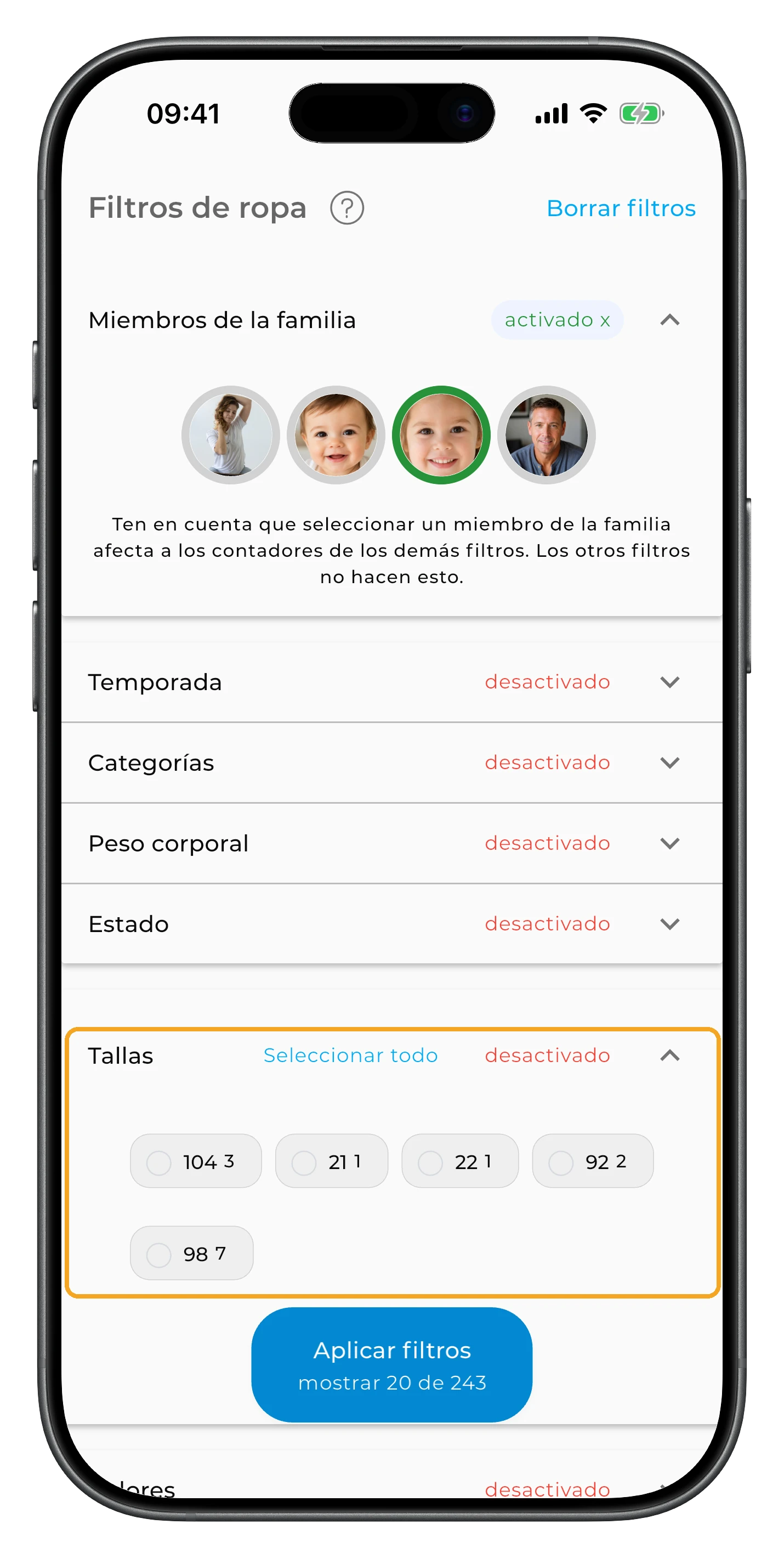
Esto es especialmente útil antes de una nueva temporada o de ir de compras: abre el armario de tu hijo y filtra por Temporada y después por Tallas. Verás qué tallas tienes ya para esa temporada y cuáles pueden faltar.
Ver las prendas y los outfits de un miembro de la familia
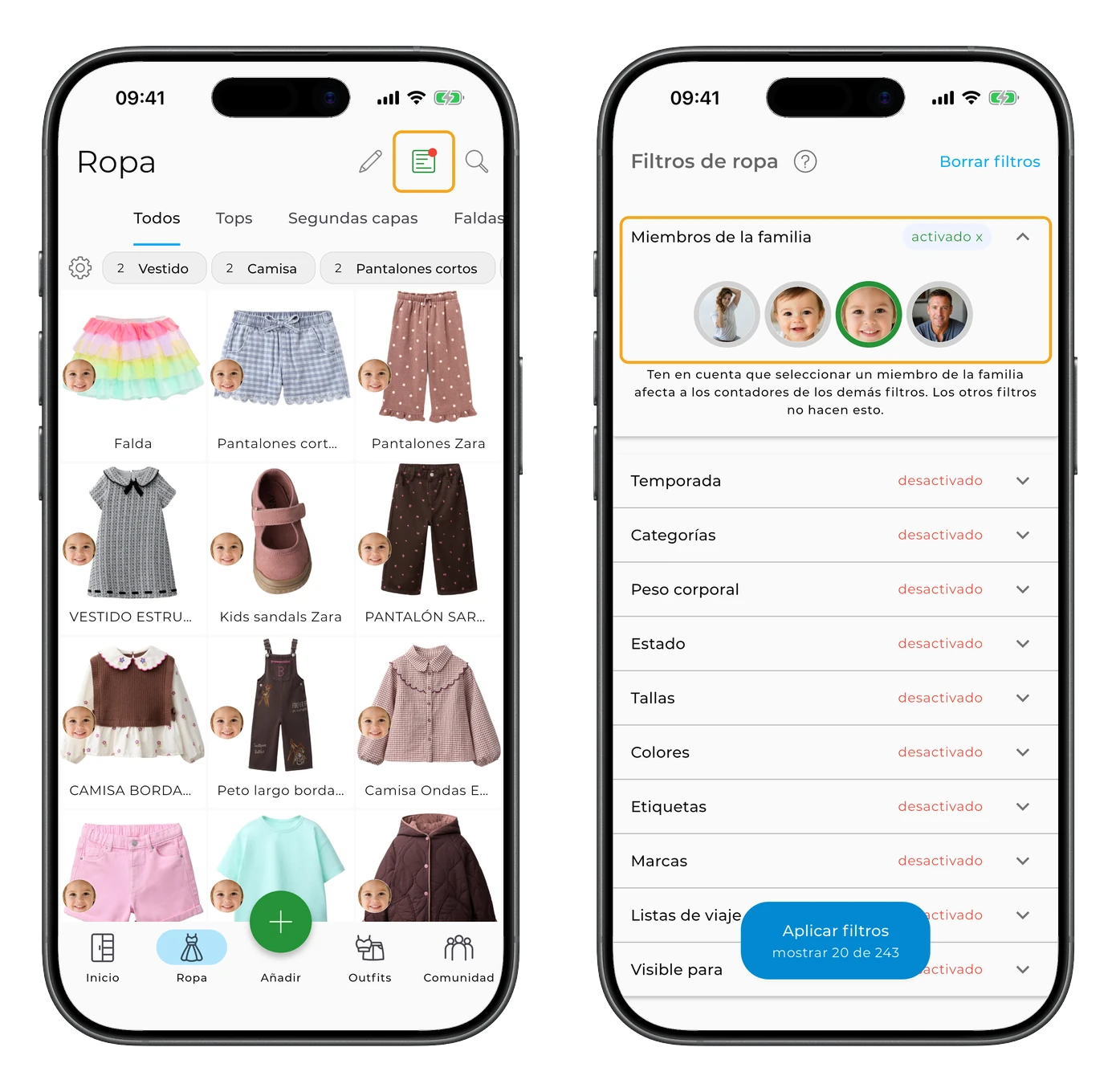
En las pantallas Ropa y Outfits, usa el filtro Miembro de la familia.
Selecciona el avatar de la persona cuyo armario quieras ver, incluido el propietario de la cuenta, para ver solo sus prendas u outfits. Puedes seleccionar varios miembros de la familia a la vez. Para cambiar de armario, solo tienes que seleccionar otro avatar.
Estadísticas y planificación para los miembros de la familia
Para ver las estadísticas de una persona concreta, selecciona su avatar en la pantalla principal.
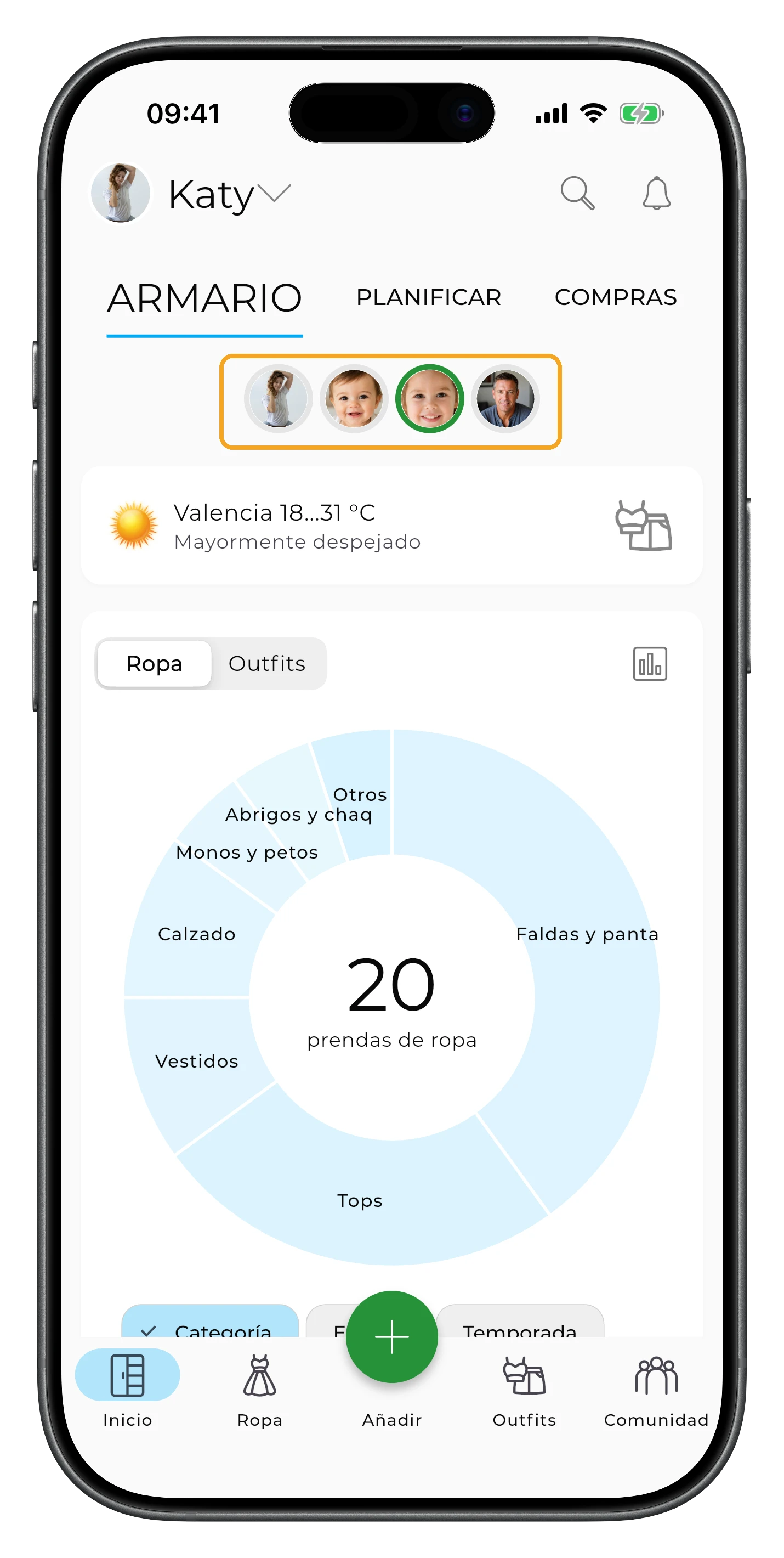
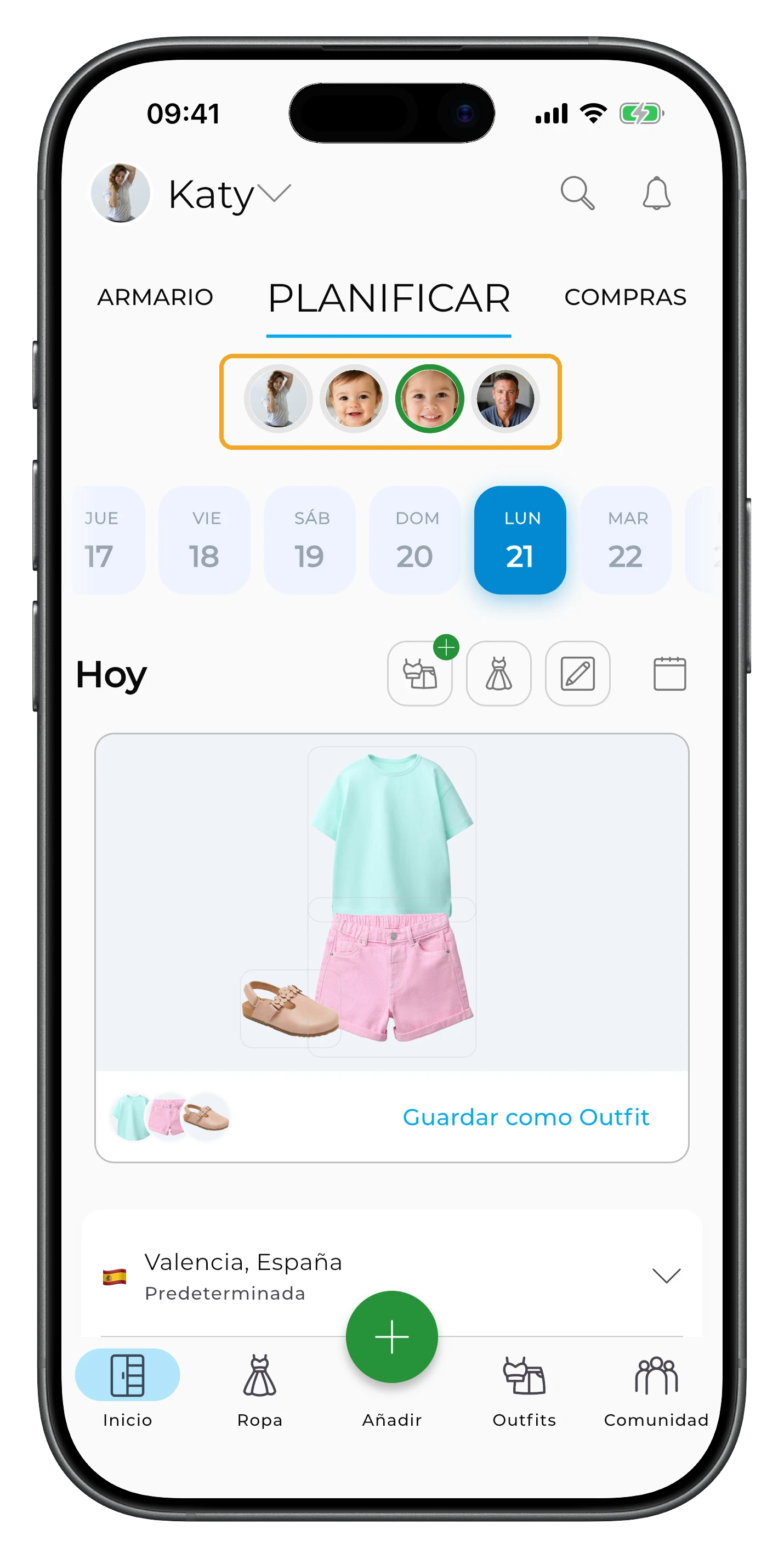
Para planificar un outfit, abre Planificar y selecciona a la persona para la que quieras planificarlo.
Crear outfits con el armario de un miembro de la familia
Antes de crear o generar outfits, usa el filtro Miembro de la familia para elegir qué armarios quieres usar. Si seleccionas a una sola persona, se usarán únicamente sus prendas. Si seleccionas a varios miembros de la familia, se usarán las prendas de todos ellos.
Eliminar un miembro de la familia
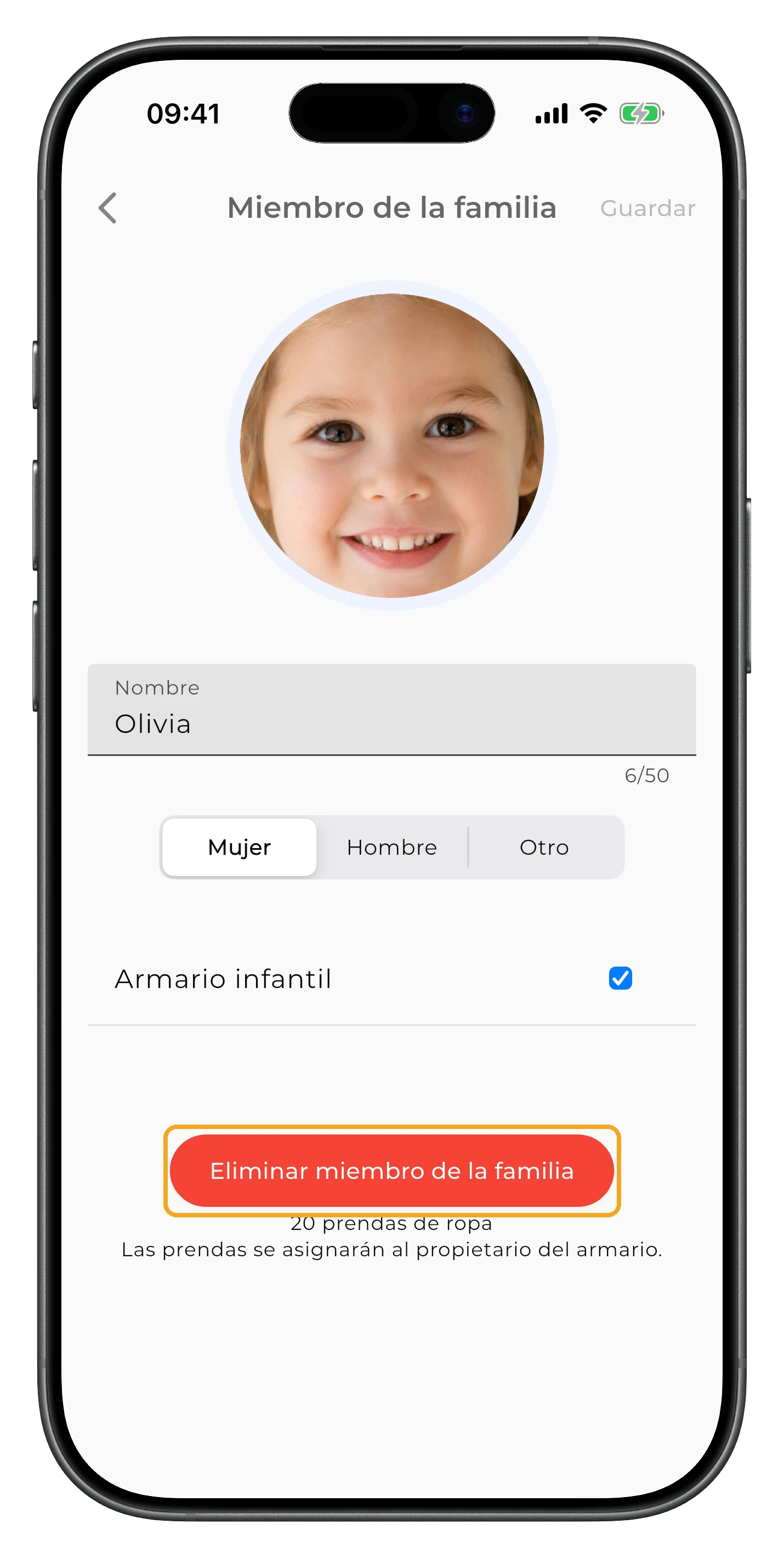
Para eliminar a un miembro de la familia, abre sus ajustes y toca Eliminar miembro de la familia.
Las prendas del miembro eliminado no se borran. Se trasladan automáticamente al armario del propietario de la cuenta.
Preguntas frecuentes
¿Necesito una suscripción aparte para cada miembro de la familia?
No. El Armario Familiar está incluido en la suscripción Premium del propietario de la cuenta. No necesitas una suscripción aparte para cada armario.
¿Cuántos miembros de la familia puedo añadir?
Puedes añadir hasta 7 miembros de la familia, cada uno con su propio armario dentro de tu cuenta.
¿Cuál es la diferencia entre el Armario Familiar y una cuenta aparte para el niño?
El Armario Familiar es una función para gestionar el armario de un niño dentro de tu cuenta de GetWardrobe. El niño no inicia sesión por separado. Tú gestionas su armario desde tu cuenta: añades sus prendas y las asignas al niño en el campo Miembro de la familia. Todas las prendas permanecen en la misma cuenta y puedes usar el filtro Miembro de la familia para ver por separado el armario de cada persona.
Una cuenta propia para el niño está pensada para que pueda usar GetWardrobe por su cuenta: puede añadir prendas, crear y planificar outfits y gestionar su propio armario.
El niño también puede darte acceso a su cuenta para que puedas ayudarle con su armario. Más información en Acceso a la cuenta.
¿Cómo se determina a quién pertenece un outfit?
Las prendas que contiene un outfit determinan a quién pertenece.
Si todas las prendas pertenecen al propietario de la cuenta, el outfit pertenece a su armario. Si contiene al menos una prenda de otro miembro de la familia, pasa a pertenecer a ese miembro y deja de aparecer al filtrar por el propietario de la cuenta. Si contiene prendas de varios miembros de la familia, pertenece a todos ellos y aparece al filtrar por cualquiera de ellos.
Para cambiar a quién pertenece un outfit ya creado, cambia las prendas que contiene. No puedes asignar un outfit directamente a un miembro de la familia.
¿Se puede trasladar el armario de un niño a su propia cuenta?
No se puede trasladar automáticamente, pero puedes descargar las prendas y los outfits en un archivo y luego subir sus imágenes a la nueva cuenta del niño.
¿Necesitas ayuda?
Escríbenos a support@getwardrobe.com